The Impact of POS in Banking and Retail

The Point of Sale (POS) system is a cornerstone of the ever-evolving financial services, playing a pivotal role in both the banking and retail sectors. But what exactly does POS in banking mean?

This blog aims to emphasize on the concept of POS, highlighting its importance, the nuances of POS transactions as they appear on bank statements, and the various forms and functionalities it encompasses.

Whether you are a consumer aiming to better understand your transaction details or a business seeking to streamline payment processes, a comprehensive understanding of POS in banking is indispensable for navigating today’s complex financial environment.

What is POS in Banking?

When it comes to banking, POS stands for Point of Sale. It’s a crucial element in modern transactions, allowing businesses and customers to complete purchases quickly and efficiently. But what does POS meaning in banking truly encompass? Essentially, it refers to the system and devices used to process card payments at retail locations. These transactions can be carried out using credit, debit, or even prepaid cards, making it a versatile and essential component of everyday financial operations. Learn more about the basics of POS systems with What is a POS Terminal & How does it work?

What do you mean by POS on your Bank Statement?

Seeing a POS transaction on your bank statement can be puzzling if you’re not familiar with the term. It simply indicates that a purchase was made at a retail location using your debit or credit card. This line item helps you keep track of your spending, showing exactly where and when the transaction took place. It’s a detailed and straightforward way to monitor your expenses, ensuring transparency and accountability in your financial records.  Do POS transactions confuse you? Do you not know how they work exactly? Find out now with What is POS Transaction?

What is POS debit all about?
POS debit

Understanding POS Debit is vital for anyone using a debit card.

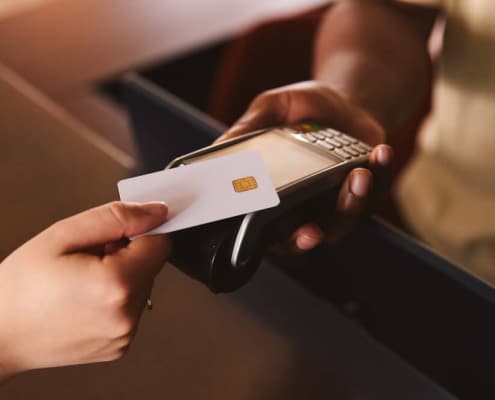
A POS in credit card context means that a purchase was made using your debit card at a point of sale. When you use your debit card at a store or an online platform, the transaction is recorded as a POS debit. This immediate deduction from your account ensures that you only spend what you have, promoting better financial management and reducing the risk of overdrafts.

How do POS and Debit differ?

While POS banking involves both debit and credit card transactions, there are distinct differences between POS transactions and traditional debit transactions. A POS transaction occurs at a point of sale, typically involving an electronic payment terminal. In contrast, a traditional debit transaction might involve withdrawing cash from an ATM or making an online bank transfer. Understanding these differences can help you manage your finances more effectively and choose the best payment method for your needs.

Summary on Why POS in Banking is Must!

In summary, POS in banking revolves around the systems and devices that facilitate card payments at retail locations. A POS transaction stated on your bank statement indicates a purchase made using a debit or credit card. POS debit transactions ensure that your spending is directly deducted from your account, helping you maintain better financial control. By understanding these concepts, you can navigate your financial statements with ease and make more informed decisions about your spending habits.

Overall, POS data is not just limited to transactions and basic functions, it is reliable real-time data that feeds analysis and crucial business decisions. Understanding how to utilize this data can walk your business to success. Read more with What is POS Data.

Conclusion

Knowing how POS works in banking will help you use it effectively and stay updated with global trends. Contact us if you need a complete POS system for your business.

FAQs

What is a POS refund?

POS Refund

A POS refund is a credit card refund at the point of sale for returned products or corrected errors. It must match the original transaction amount and typically takes 7–10 business days to process, though some banks may complete it in as little as 3 days.

How to withdraw money from a POS machine?

A POS withdrawal allows cardholders to withdraw cash using debit and prepaid cards at POS terminals, depending on the bank’s policies and designated terminals.

book a demo

Mastering the Art of POS Experience

You’ve probably come across the term “point-of-sale (POS) system” and grasped its significance across various business scales. Yet, pinpointing the essence of a remarkable POS experience can seem as challenging as retrieving a coin from the depths of a well.

In this article, we’ll embark on a journey to unveil the pivotal factors that enhance the POS experience for entrepreneurs. But first, let’s see what a POS experience means.

What is a POS Experience?

A POS (Point of Sale) experience refers to the overall interaction and satisfaction level encountered by both customers and business owners during the process of completing a transaction at a retail or service establishment.

POS experience for customers encompasses aspects such as the ease of making purchases, the speed of transactions, the convenience of payment options, and the level of customer service received.

On the other hand, POS experience for Business owners entails factors such as the efficiency of managing sales and inventory, the accuracy of transaction records, the security of payment processing, and the availability of support services. Overall, a positive POS experience contributes to customer satisfaction, repeat business, and streamlined operations for business owners.

Related article – What is EFTPOS & How Does an EFTPOS Work?

1. User-Friendly Interface

Adopting a POS system can be daunting due to the steep learning curve it presents. If you find yourself spending excessive time training staff repeatedly, it’s a sign that your current POS system lacks user-friendliness. The essence of a great POS experience lies in its ability to facilitate smooth transactions for both customers and employees, fostering a positive atmosphere and superior customer service, leading to increased satisfaction.

Key Features for Customization

Enhancing the experience involves customization of POS features that streamline business operations. Custom receipts, personalized dashboards, save notes, and quick keys empower business operators to tailor their POS system to their specific needs, promoting brand awareness, informed decision-making, improved communication, and faster transactions.

2. Speedy Transactions

In the retail world, speed matters. Long wait times at the checkout can sour the customer experience and lead to frustration among both shoppers and staff. Let’s explore key features that turbocharge the transaction process:

Swift Check-Out Features

High-Speed Scanner and Card Processor: Accelerates payment processing, reducing wait times and enhancing customer satisfaction.

Self-Check-Out Process: Empowers customers to complete transactions independently, boosting efficiency and convenience.

Customized Quick-Key: Streamlines the check-out process by enabling quick access to frequently purchased items, saving time for both cashiers and customers.

Digital Receipts: Offers customers the option to receive receipts digitally, eliminating paper waste and providing valuable marketing opportunities.

Efficient Product Search Functionality: Enables fast and accurate product retrieval, minimizing errors and enhancing the overall shopping experience.

By leveraging these features, businesses can optimize transaction speed, improve operational efficiency, and delight customers at every touchpoint.

Related article – What is a POS Report?

3. Top-notch Security Measures

In today’s world, security is a big deal, especially when it comes to preventing fraud at the POS screen. Digital fraud is a major problem in the UK, partly because many POS systems lack proper security measures.

Peace of Mind

Feeling stressed about security? Don’t worry! Thanks to technological advancements, POS providers are now offering better hardware and software features to tackle these concerns. You don’t need to be a security expert to choose a secure POS solution. Here are some simple tips to help you pick the right one:

PCI DSS Compliance:

PCI DSS

PCI DSS

Make sure your system meets the Payment Card Industry Data Security Standard for maximum protection.

Support for Mobile Wallets: Look for a system that can accept secure transactions from mobile wallets, like Apple Pay and Google Pay.

EMV Chip Card Acceptance:

EMV Chip

EMV Chip


Choose a card company that allows you to accept EMV chip cards, which provide an extra layer of security against fraud.

4. Synchronizing Real-time Data with Accuracy

Real-time synchronization is crucial for Point-Of-Sale systems managing multiple stores and inventory, ensuring that data across all platforms remains up-to-date. This synchronization enables immediate adjustments to stock levels when orders are placed, preventing the sale of out-of-stock products and enhancing customer satisfaction.

Additionally, accurate data reporting is essential for informed decision-making. While real-time synchronization aids in multi-store management, accurate reporting ensures that data reflects current information.

Related article – Custom Point of Sale (POS) Software

5. 24*7 Support

Even with a user-friendly POS system, there may come a time when you require technical support. Business owners often overlook the fact that during busy periods, they may not have the time to troubleshoot POS issues themselves. Moreover, when your business relies heavily on POS for sales, delaying problem resolution is not an option.

To ensure a positive POS experience, it’s essential to choose a provider offering 24/7 support. A reliable POS solution company offers assistance regardless of the time or whether you’re a new user or a long-time customer.

Axcess IT EPOS: Your Seamless POS Integration Software

Looking for an all-in-one POS software that ticks all the boxes? Look no further.

At Axcess IT, we understand the importance of user-friendly software, high-speed transactions, top-notch security, real-time data synchronization, and reliable support. With our meaningful POS experience, your business achieves the tailored solutions it deserves.

Contact us today or book a free trial to elevate your experience with POS to new heights!

What is a Cash Float?

Understanding how to improve cash flow in your business gets you sorted with other front and backdrop operations. Be it any business, cash float plays a vital role. In this blog, we’re figuring out the basics and also helping you with an ideal POS system to make your daily business operations smooth.

What is a Cash Float?

Cash float means two things:

(1) It’s the money kept in the cash register at the start of a work shift. This money is usually small and is used to give change to customers who pay with cash but don’t have the exact amount.

(2) It’s also the difference between the amount of cash shown in a business’s accounting records and the actual cash in the company’s bank account. This difference can happen because it takes time for banks to process paper checks, so the cash balance might not match right away.

There is also a thing like cashing up tills. Interested to explore?

Types of Cash Float

Cash float can be categorized into three main types:

1. Disbursement float: This occurs when a check has been issued by the company but has not yet been cashed by the recipient. As a result, there is temporarily additional money in the company’s account until the recipient deposits and cashes the check.

2. Collection float: This arises when a customer or entity deposits a check into the company’s bank account, but the bank has not yet credited the funds to the account. During this time, the money is deducted from the company’s bank balance until the bank processes the deposit and credits the account.

3. Net float: This represents the total amount of both disbursement and collection floats, reflecting the overall impact of these temporary discrepancies on the company’s cash position.

4. Petty Cash Float: Petty cash float refers to a small amount of cash that is kept on hand within a business for minor expenses and emergencies. This fund is typically maintained in a secure location, such as a petty cash box or drawer, and is used to cover small, day-to-day expenses that arise in the course of business operations. Petty cash floats are replenished periodically by withdrawing funds from the company’s primary bank account, and they are often managed by a designated employee who is responsible for documenting any withdrawals or expenditures.

What is cash float in business?

Cash float in business refers to the amount of money kept on hand at the beginning of each working shift to facilitate cash transactions. It’s typically a small amount of cash placed in the cash register to provide change to customers who pay with cash. This practice ensures smooth and uninterrupted transactions throughout the day.

How Axcess IT can assist you with cash flow management?

Axcess IT offers an app-based POS solution for dry cleaning shops, launderers, and commercial dry cleaners allowing easy tracking of cash adjustments, sales, inventory, and customer data. Mastering cash float management is vital for securing operations and enhancing performance, ensuring transactional integrity and financial accuracy.

Explore Cleantouch POS Cash Register System for streamlined retail operations. Contact us today!

FAQs

Why is Maintaining a Cash Float Essential?

Keeping a cash float is vital for maintaining seamless business operations. It ensures liquidity to handle immediate expenses and prevents disruptions in cash flow, enabling smooth transactions.

How to Effectively Manage a Cash Float?

Managing a cash float ensures keeping a designated amount of cash on hand for daily transactions. This includes providing change for customers and covering small expenses. Regular monitoring and replenishment are necessary to maintain its adequacy.

What’s Involved in Calculating Cash Float?

Calculating cash float requires assessing the amount of cash needed for daily transactions based on past trends and anticipated needs. This estimation involves considering both cash receipts and disbursements to ensure sufficient funds are always available.

book a demo

Understanding Cost Focus Strategy

A cost-focused strategy involves businesses aiming to draw in customers by offering the lowest prices compared to their competitors. This strategy entails undercutting rivals’ prices to attract budget-conscious consumers. Every company requires a well-defined business plan, which encompasses various elements like product pricing and marketing strategies.

This article dives into the concept of a cost-focused strategy, its application in business, and the benefits it offers.

What is a cost-focused strategy?

A cost strategy involves businesses aiming to attract customers primarily through competitive pricing. These companies strive to offer the lowest prices in the market by undercutting their competitors. They often target specific market segments and focus on reducing operational costs to maintain profitability.

What is a cost-focused strategy

Unlike price-focused enterprises that prioritize reducing purchase costs, cost-focused businesses concentrate on overall cost reduction and efficiency improvement while offering enticingly low prices. Some of the top Cost leadership strategies include Walmart, and McDonald’s. While we are discussing cost strategies, learning how payment processing works? Will be a valuable addition to your knowledge.

What could be part of a cost-focused strategy?

The major elements of a low-cost strategy are as below:

1. Competitive pricing to attract price-conscious customers.

2. Optimized supply chain for cost reduction.

3. Efficient operations with automation.

4. Strong vendor relationships for discounts.

5. Targeted marketing to cost-conscious segments.

6. Resource allocation for cost-saving initiatives.

7. Quality control without compromising cost efficiency.

8. Continuous improvement culture.

9. Technology integration for streamlined processes.

10. Employee training for enhanced productivity.

Why Focused cost leadership strategy promise SUCCESS?

You can implement a focused low-cost strategy for any given business and it promises growth and success. What makes this strategy so unbeatable? Let’s see!

Enticing Customers:

One of the primary advantages of a cost-focused strategy is its appeal to customers seeking value. When offered competitively priced products or services without compromising quality, customers perceive it as a bargain, enhancing their satisfaction.

Enhancing Branding:

Implementing a cost-focused strategy doesn’t equate to portraying your brand as ‘cheap.’ Your pricing strategy influences your branding and customer base, whether targeting everyday consumers, bargain hunters, or investors.

Efficient Supply Chain:

Streamlining the supply chain reduces costs associated with intermediaries marking up prices. Direct sourcing and efficient logistics minimize expenses, contributing to overall cost savings.

Low Operational Costs with Automation & Technology:

Leveraging technology and automation simplifies business management, identifies financial inefficiencies, and improves organizational efficiency. Integration with point-of-sale systems streamlines operations, reducing manual tasks and increasing productivity. Entrepreneurs need to learn how to improve cash flow in their businesses for optimal liquidity at any moment.

Bulk Stock Purchases:

Cost-focused businesses benefit from economies of scale by purchasing inventory in bulk. Maintaining good relationships with suppliers ensures favourable pricing and availability, optimizing cost savings.

Accelerated Product Turnover:

Process automation leads to faster product turnover by standardizing operational processes, reducing production time, and enhancing time-to-market efficiency.

Improved Training Procedures:

Automated operational processes require less training time for employees, reducing errors and enhancing productivity. Standardized training procedures ensure consistency and efficiency across the workforce.

Creating a Cost Focus Strategy

Creating a Cost Focus Strategy

To implement a cost-focused strategy while maintaining revenue, businesses should explore cost-cutting measures in various areas like marketing, labour, distribution, and packaging. Let’s delve into some ways to apply this strategy effectively:

Shop Around: Explore different suppliers to find the best prices for goods and services. Don’t hesitate to negotiate with current suppliers for better rates or consider bringing some services in-house to save costs.

Implement Advanced Technology: Invest in a point-of-sale (POS) system tailored to your industry. These systems offer customizable features and detailed reports on revenue and costs, enabling informed decision-making to optimize business processes.

Increase Production Scale: Leverage economies of scale by purchasing items in bulk, leading to better pricing with suppliers. Scaling up production not only reduces costs but also enhances negotiating power and flexibility in pricing.

Reduce Staff Costs: Strategically schedule staff to balance customer demand and labour costs. Utilize POS systems to analyze sales trends and optimize staffing levels during peak and off-peak hours, ensuring efficient resource allocation.

Competitive Analysis: Analyze competitors to identify strengths, weaknesses, and pricing strategies. Use this information to gain a competitive edge through cost-reduction measures tailored to your market segment. In marketing terms, it is also known as the cost competitive advantage strategy.

Consistent Improvement: Ensure that your business undergoes improvement with little or big things. Encourage employees to identify cost-saving opportunities and implement efficiency- enhancing initiatives regularly.

Marketing and Positioning: Develop a marketing tactic that highlights your cost advantage strategy to customers. Highlight the value proposition by emphasizing how your products or services provide cost savings compared to competitors.

Enhance Business Management with Axcess IT EPOS

Axcess IT EPOS offers a customized point-of-sale system designed by and for entrepreneurs for a focused cost leadership. We understand the challenges of pricing, strategic planning, and technology selection, and our platform is tailored to address these needs.

With Axcess IT’s electronic point of sale (POS) system, you can streamline various aspects of your business operations directly from your POS screen:

➸ Monitor individual product performance for precise prediction.
➸ Efficiently onboard staff with our intuitive interface.
➸ Effortlessly manage, modify, and group items for increased revenue potential.
➸ Safely store and retrieve business data from anywhere via cloud backup.

FAQs

1. What is a cost-focus strategy example?

One of the most popular cost-focused strategy examples is Walmart’s business model. The company prioritizes providing consistently low prices across various products. Through efficient supply chain management and economies of scale, Walmart sustains competitive pricing, appealing to budget-conscious shoppers.

2. What advantages does a focus strategy offer?

This strategy empowers businesses to direct their resources and attention towards effectively serving a specific market segment. Such an approach typically leads to enhanced competitiveness within the chosen segment, heightened customer loyalty through personalized offerings, and improved profitability via optimized resource allocation and cost management practices.

book a demo

How does Payment Processing Work?

The Digital Payments Market boasts outreach of US $513.10bn transaction value in 2024. That’s massive! To remain competitive and provide customers with seamless, secure, and convenient payment options, businesses, regardless of their size, need to grasp the intricate mechanics of payment processing.

For businesses, handling customer payments holds immense importance. Payment processing not only facilitates cash flow management but also bolsters customer satisfaction and safeguards against fraud risks. In today’s dynamic landscape, marked by rapid technological progress and evolving consumer habits, businesses must remain abreast of industry trends, regulations, and security protocols to remain adaptable.

In the following sections, we’ll delve into various facets of payment processing, elucidating its components, operational mechanisms, recommended practices for businesses, and the critical role of selecting the right provider. Armed with this knowledge, businesses can make informed decision regarding their payment-processing strategies and solutions, thereby fostering growth through an optimized payment experience.

What is payment processing?

Payment processing is like a series of steps that safely move money from one person to another. It includes checking if the payment is allowed, making sure it’s correct, and then finalizing the transfer using electronic systems.

These systems handle different kinds of payments, such as credit cards, bank transfers, and mobile payments. Many groups, like banks, companies that process payments, and regulators, work together to make sure these systems work smoothly. It is convenient to process payments with smart POS systems like EPOS. Explore it with What is a Point of Sale (POS) Transaction?

Payment Processing Steps: How does payment processing work?

Payment processing involves many steps and people. Here’s how it works:

1. Starting the transaction: You give your payment info, like a card, in a store or online.

2. Using a payment gateway: Your payment info goes to a secure place called a payment gateway. It makes sure everything is safe and sends your info to the right places.

3. Checking if it’s okay: The payment processor gets your info and checks if it’s right. Then, it asks your bank if it’s okay to pay.

4. Checking with your bank: Your bank checks your account to see if you have enough money. If it’s all good, they say yes. If not, they say no.

5. Getting an answer: Your bank tells the store if it’s okay to take your money or not.

6. Finishing the transaction: If everything’s okay, the store gives you what you bought. If not, they might ask for another way to pay. Don’t you want to learn how to improve cash flow in business?

7. Paying the store: At the end of the day, the store sends all the approved payments to their bank. The bank asks your bank for the money, and if everything’s fine, they send it to the store.

8. Checking the records: The store checks all the payments they got and any fees they had to pay. You and the store get records of what happened.

Best Practices for Payment Processing

Following good practices for handling payments can make customers happier, reduce fraud, and keep your business following the rules. Plus, it helps you manage your money better and make fewer mistakes.

Here are some important things to do when handling payment process in business:

1. Keep things safe

safe & secure payment - Axcess IT epos

Use strong security methods like encryption and SSL certificates to protect payment info. Follow rules like PCI DSS to keep payments safe.

2. Offer different ways to pay

Give customers choices like credit cards, debit cards, and digital wallets to make shopping easier.

3. Use a trusted payment system

Pick a reliable payment processor (like CleanTouch EPOS) that offers good services, helps prevent fraud, and gives good support.

4. Keep everything updated

Make sure your payment systems are always up to date with the latest security and technology improvements to keep things running smoothly and safely.

5. Train your team

Teach your employees about how to handle payments safely and what to do if they spot any problems.

6. Use tools to stop fraud

cvv - axcess it

Use tools like AVS and CVV checks to help spot and prevent fraud when taking payments.

7. Keep an eye on things

Regularly check your payment records (be it online payment processing or cash) for anything unusual that might be a sign of fraud, and set up alerts to tell you about any problems quickly.

8. Have clear rules for refunds and chargebacks

Make sure your customers know what to expect if they want a refund or if there’s a problem with their payment. Learn more about electronic funds transfer at the point of sale.

9. Make payment-tracking convenient

Have good processes in place to keep your payment records accurate, get your money quickly, and watch out for any issues.

10. Stay updated

Keep learning about new payment methods, the best ways to handle payments, and any changes in the rules to keep your business running smoothly and legally.

The Takeaway

Processing payments is an integral part of any business and when done right, it is not a hassle anymore. In case you are hunting for accurate payment processing systems, Axcess IT CleanTouch EPOS could be the right choice. Our team is ready to assist, get in touch today!

FAQs

1. Why might a card transaction be declined and what actions should be taken in such instances?

A card transaction can be declined due to various reasons. Errors, insufficient funds, or technical issues are common causes. If declined, retrying the transaction is advisable. However, if the issue persists, overdraft fees may be incurred if swiping again for insufficient funds.

2. What defines a credit card association?

A credit card association, like Visa or MasterCard, is a network facilitating debit and credit card transactions. They don’t issue cards directly; instead, banks do. Associations process payments, charging fees per transaction. However, some companies, like American Express and Discover, issue cards directly.

3. Is payment processing secure?

Payment processing poses risks like identity theft. However, secure devices encrypt user data, minimizing risks. PCI-compliant devices further enhance security. Despite precautions, data breaches may occur. In such cases, issuing banks typically provide new credit cards to affected customers.

book a demo

How do Thermal Printers Work?

Thermal printers are handy tools for printing labels, receipts, and barcodes fast and without breaking the bank. In this guide, we’ll explain how thermal printers work and what features to consider when choosing the perfect one for your business.

What do you mean by a ‘Thermal Printer’?

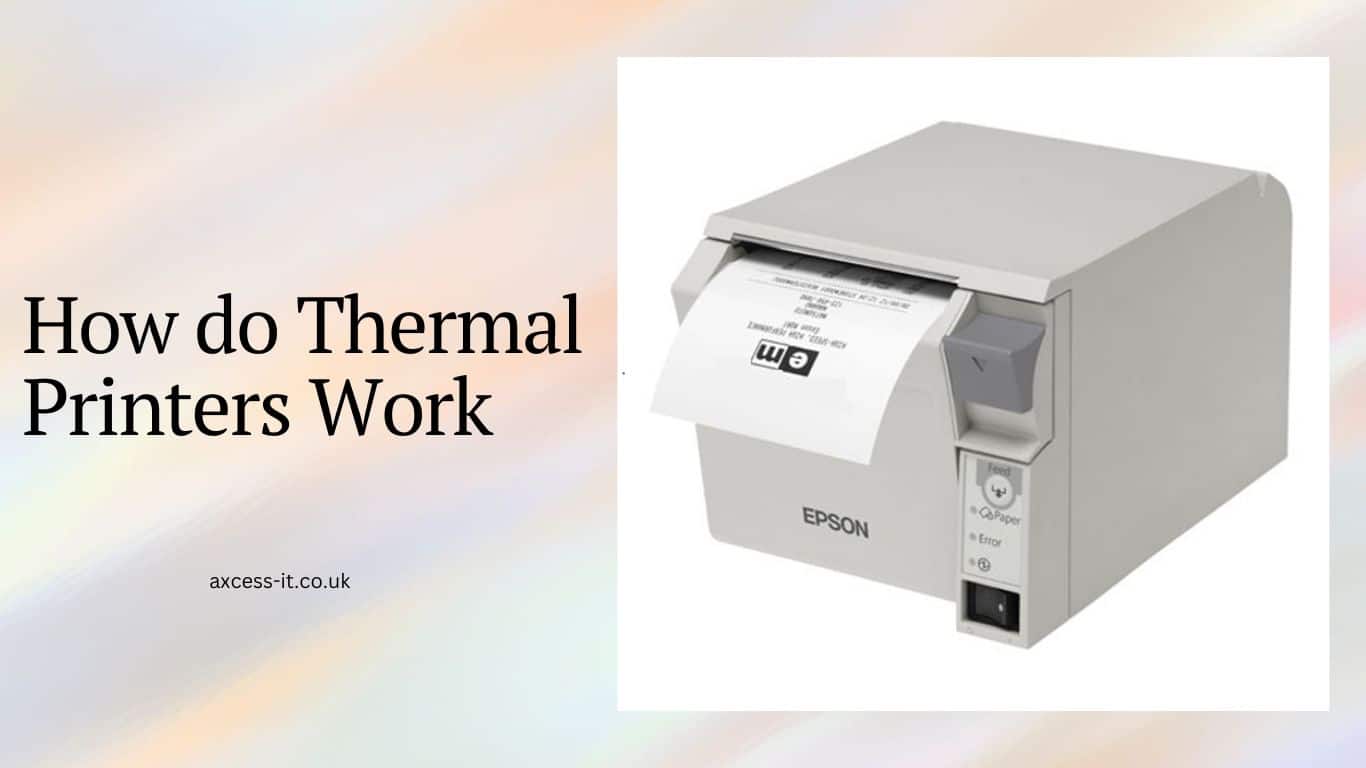
A thermal printer is a special kind of printer that uses heat to make black text or pictures on paper. It works by heating a printhead and pressing it against a special paper or ink ribbon. This creates the text or pictures. Thermal printers are often used for making labels, receipts, barcodes, ID badges, and more in many different industries.

How Does a Thermal Printer Work?


How do Thermal Printers Work

To understand how a thermal printer works, you should know there are two main types of thermal printers: direct thermal printing and thermal transfer printing.

1. Direct Thermal Printing

  • Uses heat-sensitive paper and doesn’t need ink or toner.
  • The printhead heats up and presses onto the paper, making it turn black when heated.
  • It’s cheap to maintain because it doesn’t need ink, but prints may fade over time.
  • You can only print in one colour because the paper determines the colour.

2. Thermal Transfer Printing

  • Uses ink ribbons pressed onto the printing material by the printhead.
  • The ink transfers onto the material and dries there.
  • Prints are less likely to fade and you can use multiple colours at once.
  • However, it needs ink ribbons which can increase maintenance costs and may have more operational issues.

| Do you wish to learn how to do ThermoTex Integration? This read will be worth stopping by!

Uses of Thermal Printers

Thermal printers are widely used across various industries due to their energy efficiency, speed, and portability. Here are some common applications:

Dry-cleaning and Laundry Business: Utilized for printing tags and labels for garment tracking and management.
Government: Utilized for printing ID badges, supply chain labels, emergency management, and admin purposes.
Manufacturing: Used for quality assurance, compliance labels, maintenance or parts management, and progress tracking.
Healthcare: Employed for printing labels for lab or pharmacy samples, patient wristband IDs, and asset management.
Retail and Hospitality: Used for POS or mobile POS receipt printing, inventory management, printing price tags, guest cards or passes, ID badges, etc.
Logistics and Transportation: Used for inventory management, shipping, receiving, packing slips, and return labels.

Top Benefits of a Thermal Label Printer

1. Cost-effective: Thermal printers keep costs low as they do not rely on ink to print.

2. Minimal supply replacement: No ribbons, cartridges, or other supplies need to be replaced to ensure continued use. Only the media is needed to keep the printer running.

3. Portability: These compact printers are portable and convenient to use on the go. A lightweight design makes them easy to take with you anywhere, whether in the office, warehouse, tradeshows, or on demos.

4. High printing speeds: Thermal printers offer quality results with high printing speeds. Expect smudge-free results that tend to be highly legible and long-lasting, with prints taking milliseconds to complete.

5. Low maintenance: Thermal printers have few moving parts, reducing the risk of breakage and making them easy to maintain. Thermal printer printheads last about 10 years on average.

How Barcode Scanner Work?

Making the right choices: How to pick the Thermal Printer by Model?

Once you know what you need from a thermal printer, you’ll find a variety of models to pick from.

The main difference is their size. Here’s a quick breakdown:

Mobile Thermal Printers: These are small, handheld printers that are portable and wireless.
They’re great for printing on the go, like in warehouses or rough environments. Look for durability features like waterproofing or temperature resistance. Choose this if you need something sturdy but lightweight.

Desktop Thermal Printers: These are a bit bigger than mobile printers but still compact enough for a desk. They come with wired or wireless connections and can handle moderate printing volumes. They’re reliable and low-maintenance, ideal for retail settings.

Industrial Thermal Printers: These are larger and tougher, built to handle heavy printing loads 24/7. They’re perfect for big operations like logistics or manufacturing. Some even come with advanced features like IoT software for easier control. Choose this if you need constant and reliable printing for a large-scale operation.

Make a Smart Upgrade by linking Axcess IT Cleantouch EPOS to Thermal Printers!

Thermal printers use special thermal receipt paper, unlike impact printers which use standard paper. Make sure to get the right width for your printer. If your printer isn’t working, try flipping the till roll. Thermal printers are popular for their quality and reliability, saving money on expensive paper. You can even print company logos on your receipts.

It’s great if you are already using an EPOS Till System. You can upgrade to a fuss-free chore by linking your Axcess IT Cleantouch EPOS with a thermal printer for better receipts. Feel free to drop an inquiry right away if you want an EPOS Till System installed first!

FAQs

Should you invest in thermal printers?

If you need to print signs, shipping labels, barcodes, or receipts, consider using a thermal printer. Unlike inkjets, thermal printers are more portable and have lower consumable costs. Although they may cost more initially, you’ll save money in the long run due to lower consumable costs and better durability.

Are thermal printers ideal for colour prints?

Thermal printers utilize a monochrome printing method by heating specialized thermal paper to create images. Unlike inkjet or laser printers, they cannot print in colour. Thermal printing is typically used for tasks where colour is not required, like printing receipts and labels.

Do you need special papers for thermal printers?

Yes, thermal printers need special thermal paper coated with a heat-reactive chemical. This paper changes colour when heated, allowing the printer’s thermal printhead to create text or images. Regular paper won’t work and might harm the printer.

book a demo

What Is a VAT Receipt?

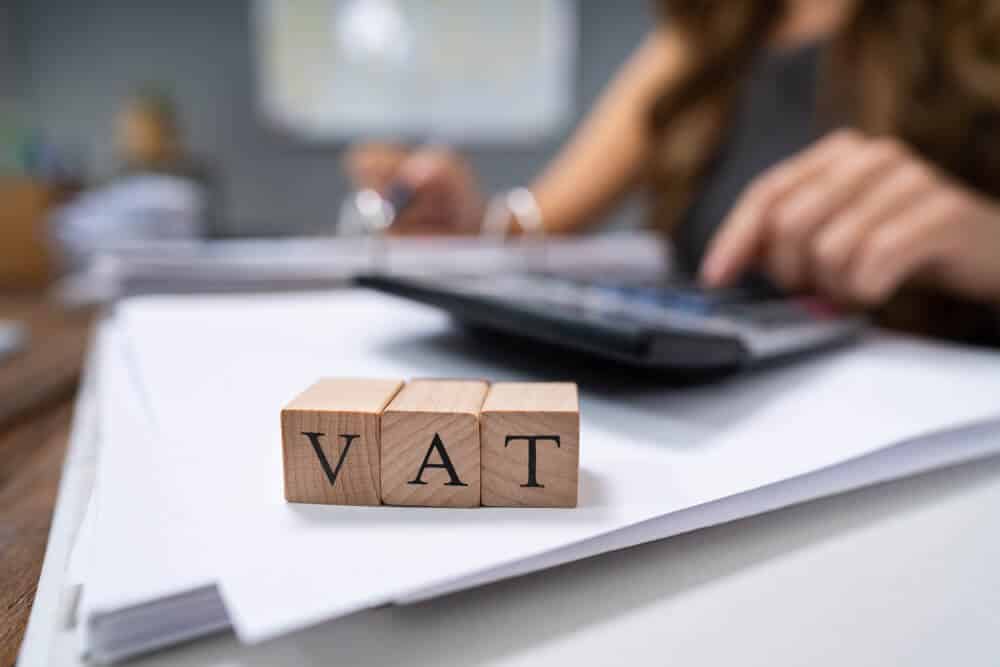
VAT is a common charge we see on receipts. As a business owner, keeping VAT receipts is a legal requirement. These receipts are needed to claim back VAT on business purchases. Let’s understand what a valid VAT receipt looks like and how to keep good records. In addition, we’ll be checking out VAT exemption, VAT charges, and more.

What is a VAT Receipt?

VAT receipts detail your purchases and the VAT paid. In the UK, VAT-registered businesses must provide VAT receipts upon request. It’s crucial to store these receipts safely for your VAT return. They prove the VAT paid and ensure accurate tax calculations. Some transactions under £25 allow VAT claims without a receipt.

How to improve cash flow in your business?

What is VAT?

What Is VAT

VAT, or Value Added Tax, is a tax on things you buy, like goods and services. If your suppliers are VAT-registered, they charge you VAT on your purchases. If your business is VAT-registered too, you charge your customers VAT on what you sell. You keep track of the VAT you pay and collect. At tax time, you calculate the difference. This determines if you owe a VAT refund.

What is EFTPOS?

How does a VAT Receipt and a VAT invoice differ?

In general, they’re pretty much the same, but VAT invoices are typically used more for recording business expenses. For instance, if you buy a laptop for personal use, you’ll get a receipt showing the VAT paid. But if it’s for business, you’ll also get a VAT invoice. For purchases under £250, retailers can give a simplified VAT invoice. A full one is only needed if asked for.

What are VAT invoice requirements?

What are VAT invoice requirements

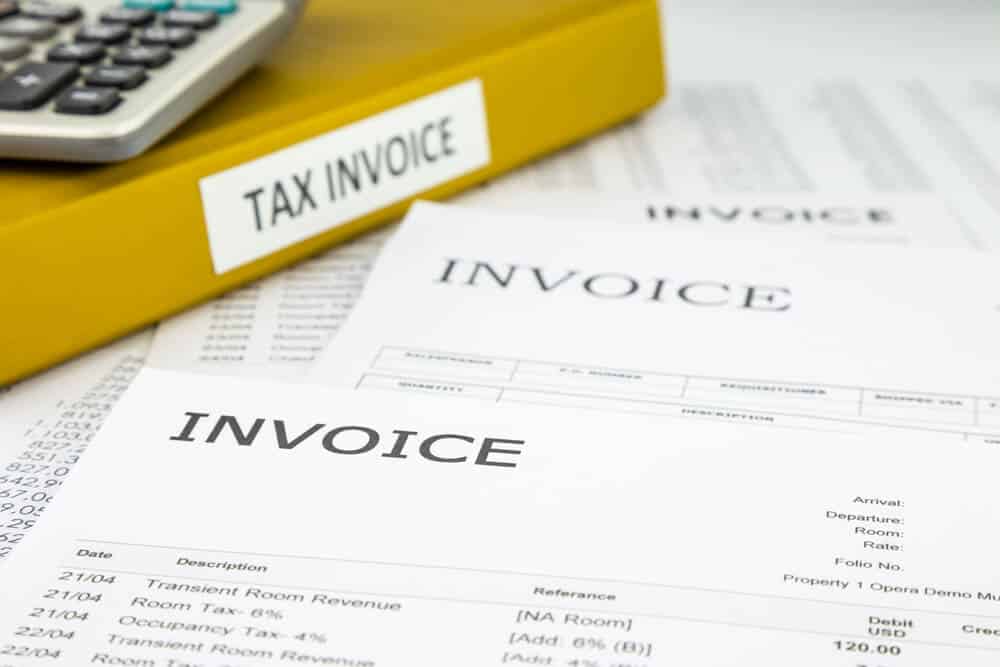
To reclaim VAT, you need to show the original purchase receipt, also known as the VAT invoice, to HM Revenue and Customs (HMRC). Thus, your invoice can also be termed as an HMRC invoice. A valid VAT receipt should have:

  • Seller’s VAT registration number
  • List of purchased items
  • Unique invoice number
  • Business addresses of both buyer and seller
  • Tax date (date of supply)
  • Business names of both buyer and seller
  • Receipt issuance date

These HMRC invoice requirements should not be missed. Missing or incorrect information may prevent VAT reclaims. Delivery notes, letters, or emails aren’t valid VAT receipts. Check your invoices carefully to avoid issues. Alternatively, our accountants can assist you.

What’s in your VAT Receipt?

Not all VAT receipts need to include every detail. Retailers can issue simplified VAT invoices for sales under £250 including VAT, if requested. A simplified VAT receipt must show:

  • Supplier name and business address
  • Supplier VAT registration number
  • Date of supply or tax point
  • Description of goods or services supplied

If the sale includes items with different VAT rates, the receipt must show each item’s applicable VAT rate and the total price including VAT. VAT-exempt supplies, like postage stamps, shouldn’t be included on simplified invoices or modified VAT invoices.

How does a Barcode Scanner Work?

Best Practices for VAT Recordkeeping

Holding onto valid VAT receipts is crucial for proving how much VAT you’ve paid and claimed back on your VAT returns during inspections. Remember to check your receipts for VAT charges, as they might not always be included. Keep a VAT account to track output tax on sales, acquisitions, reverse charge procedures, error adjustments, and other VAT-related adjustments.

FAQs

What if I lose my VAT receipt?

Losing VAT receipts is common, especially for small purchases or from local shops. In such cases, you can support your claim with alternative proof of payment, like a bank statement or credit card record. Good record-keeping practices can help minimize lost receipts. That’s included as basic VAT receipt rules.

How to store VAT receipts?

You must retain copies of every VAT invoice and receipt for up to 6 years.

Are VAT receipts and regular receipts different?

Yes, a VAT receipt itemizes the Value Added Tax (VAT) applied to the transaction, providing a breakdown of the total cost and associated tax, unlike a regular receipt.

Why do people request a VAT receipt?

People primarily request VAT receipts for business or reimbursement purposes. These receipts enable individuals and businesses to track and reclaim the VAT portion of transactions, which is important for accounting, tax reporting, and expense reimbursements.

VAT laws Under UK law, VAT-registered businesses must provide customers with VAT receipts upon request. If a supplier fails to provide one, you are legally entitled to request it. Similarly, if you fail to provide a VAT receipt to your customers, they have the right to request it. Additionally, all VAT-registered businesses must maintain transaction logs for at least six years, ensuring records are kept in good condition and easily accessible.

Supercharge your business with AXCESS IT EPOS!

Ready to elevate your VAT management? Let’s discuss how Axcess IT EPOS can revolutionize your business. Make a Valid VAT Invoice and kick the risks of VAT without a receipt on the go. Give us a chance & see how your business potentials excel.

book a demo

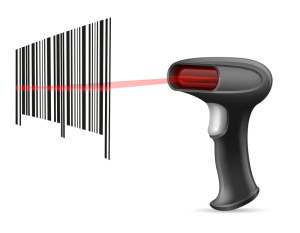
How does a Barcode Scanner Work?

Ever wondered about the magic behind a barcode scanner? This blog unveils the intricate process that powers this seemingly simple yet highly impactful technology. Barcodes, often underestimated, have significantly transformed daily life, especially in the retail sector. The features of barcode readers are impressing small to large businesses and it has thus become a basic need to install Barcode Scanning Systems.

Come, let’s see how does a Barcode scanner works?

What is a Barcode Scanner?

A Barcode Scanner, or barcode reader, is a device equipped with essential components:

  • Light Source: Illuminates the barcode for readability.
  • Lens: Reads the code.
  • Photoconductor: Converts optical information into electrical signals.
  • Decoder: Interprets signals and transmits data to the business’s system.

Together, you can call it a Barcode Scan Engine that scans/reads the code via hardware to software. Barcode solutions are thus a combination of physical devices and software.

Varied Types of Barcode Readers

Depending on business needs, various types of barcode readers exist:

  • Handheld: Corded or wireless, the most common type.
  • Mobile Computers: Cordless with an in-built computer for code processing.
  • Presentation: Hands-free scanners for swift multiple-item scans.
  • In-counter: Set into kiosks or counters for seamless integration.
  • Fixed-mount: Sensor-based readers in factories and processing centres.
  • Wearable: Mounted on the body, often on fingers or arms.
  • Mobile: Modern invention using mobile phones and barcode reader apps.

What are Barcodes used for?

Barcodes encode product details using bars and alphanumeric characters, streamlining the process of item checkout at stores and facilitating efficient inventory tracking in warehouses.

what are barcode used for

Beyond enhancing ease and speed, barcodes offer significant business advantages such as enhanced accuracy, effective inventory control, and substantial cost savings.

How does a Barcode Scanner work?

While using a barcode scanner may seem straightforward, its functionality is remarkably sophisticated. The process involves five key steps:

  1. The scanner emits light, usually LED or laser, onto the barcode.
  2. Reflected light, captured by a specialized component, distinguishes black and white colours on the barcode.
  3. Moving along the barcode generates an on-off pulse.
  4. The pulse is interpreted and converted into numbers.
  5. Numbers are transmitted to the computer and matched to the corresponding item.

This seemingly simple process has revolutionized both business and customer experiences, streamlining transactions and inventory management.

Barcode Scanner Advantages

Barcode scanners offer a plethora of advantages for businesses, making processes more efficient and cost-effective. Let’s delve into some key benefits:

  1. Easy Implementation

Installing and using barcode scanners is a breeze. Simply plug & play, make them operational swiftly. Employee training is quick, saving on training expenses.

  1. Wireless Convenience

With the advent of wireless barcode scanners, mobility within the store becomes seamless. No more worries about entangled wires!

  1. Error Prevention

Barcode scanners eliminate human errors associated with data encoding. Scanning a barcode is foolproof, reducing the risk of costly mistakes.

  1. Efficiency at Its Core

Barcode scanners simplify tasks such as product history inquiries. Customers can obtain information within seconds, enhancing satisfaction.

  1. Time Consumption Reduction

Counting inventory and processing transactions becomes significantly quicker with barcode scanners. Automation saves time and effort, making customer service faster.

  1. Real-Time Updates

Updating data with barcode scanners is instantaneous, reducing delays and enhancing overall efficiency.

  1. Resource Conservation

Barcode scanners allow businesses to go paperless, saving on unnecessary resources and expenses.

Types of Barcode Scanners

Understanding the different types of barcode scanners is crucial. Here’s a glimpse into some common ones:

  1. Pen-type or Wand-type Readers: Inexpensive with LED lights and a photodiode.
  2. Laser Barcode Scanners: 
    laser barcode scanner
    Popular, accurate, and effective in retail.
  3. CCD Barcode Scanners: LED scanners, popular in Point of Sale applications.
  4. Imager Barcode Scanners: Camera-based, offering faster transactions.
  5. 2D Scanners: Capable of scanning 2D barcodes and QR codes.
  6. Anti-Microbial Barcode Scanners: Equipped with agents to minimize the spread of viruses.
  7. Bluetooth Barcode Scanners: 
    bluetooth barcode scanner
    Wireless freedom with Bluetooth technology.

How to use a Barcode scanner?

Using a barcode scanner enhances speed, accuracy, and overall efficiency in various industries, from retail and logistics to healthcare and manufacturing. Familiarizing yourself with these simple steps ensures seamless integration into your operational processes. Here is how you use it:

  1. Power On: Ensure the scanner is turned on and connected to your device.
  2. Aim & Trigger: Aim the scanner at the barcode label and press the trigger button.
  3. Align & Wait: Keep the scanner parallel to the barcode; wait for the beep indicating a successful scan.
  4. Verify Output: Check the device screen for the scanned information.
  5. Repeat or Store: For multiple items, repeat or use batch processing if applicable.
  6. Power Off: Turn off the scanner when done.

POS Scanner offers a multitude of benefits beyond what you can imagine & if you wish to experience the best of it, you are just a step away!

Cleantouch EPOS by AxcessIT: Where Business Simplicity Meets Barcode Scanning Ease!

Behind every efficient barcode scanner lies powerful EPOS systems. Cleantouch EPOS by AxcessIT is the key to a thriving business, offering comprehensive features like:

  • Profitability reports based on product performance.
  • Sales analyses on profit margins, cash flow, and expenses.
  • Invoicing and VAT calculations.
  • Scheduled emails and SMS messages for impactful communication.
  • Ease of inventory management  (Stocktake)

If you’re keen on learning more about Cleantouch EPOS, connect with our team today.

book a demo

Laundry Security with Axcess IT – Cleantouch EPOS

As the owner of a laundry business, prioritizing the security of your establishment is paramount. This includes safeguarding your customer’s data, ensuring secure payment processing, and actively monitoring staff activities. As a business owner, the responsibility lies with you to fortify defences against data breaches and unauthorized access. Building confidence and trust in both your employees and the technology utilized for daily operations is crucial.

At Axcess IT – Cleantouch EPOS, we not only streamline the management of your laundry business but also place a significant emphasis on ensuring the security and efficiency of your establishment. Continue reading to explore the array of security tools Cleantouch EPOS offers to enhance the safety of your laundry business.

Axcess IT – CleanTouch EPOS is your 360-Degrees Laundry Security

Point-of-Sale System Security (Laundry POS Security)

In the laundry industry, a reliable Point of Sale security system is a lifeline. CleanTouch EPOS takes it a step further by backing up your data daily to independent servers. This safety net ensures your data remains intact, protecting you from potential disasters like hard drive crashes or theft. All data transmissions are encrypted, fortifying our commitment to thwarting unauthorized access.

Online Payments

In an era of online transactions, payment security with POS is a basic necessity. We’re PCI Compliant, the gold standard in credit card security. Embrace the convenience of online orders while keeping your customers’ information safe.

CleanTouch Staff Security: Empower and Trust Your Team

When you’re running a laundry business, it’s crucial to trust your team. With Cleantouch EPOS, you can ensure that each team member has the right tools and permissions for their role.

Staff Permissions

Whether you’re bringing in a new team member or adjusting the role of an existing one, our EPOS system allows you to choose from various permissions for your staff. Let’s explore some key options:

Edit Orders

Team members can create, edit, and even duplicate orders. This includes adjusting details like items, payment types, and delivery dates. Granting this access to trustworthy staff ensures that each customer order is handled correctly.

Discounts & Credits

If your business offers special discounts or credits to customers, you can give employees the ability to apply these to orders. This permission makes it easier to track which staff member is applying for discounts or credits, helping you assess the effectiveness of your promotions and prevent misuse.

Product Management

From handling the cash drawer to managing product listings and prices, Cleantouch EPOS has it covered. Since the cash drawer often holds a significant amount of money, limiting access ensures that only trained individuals handle cash, reducing the risk of theft or mishandling. Granting access to a select few team members ensures consistent pricing, avoiding potential mistakes.

Invoices & Data Export

Control who can handle invoices and business metrics like revenue and sales. Cleantouch EPOS provides permissions for exporting reports. Since this information is sensitive, restricting access to qualified and trained individuals is crucial. Invoices, and legal documents detailing transactions, require careful management to avoid disputes or legal challenges.

The Cleantouch EPOS system allows you to customize these permissions to match each user’s role and responsibilities. It’s all about ensuring a secure and efficient operation for your staff in your laundry business! Make it a crucial part of your dry-cleaner’s security.

Track Petty cash (Miscellaneous sales & cost)

Monitor staff activity with precision. Know who accessed the cash drawer and when fostering responsibility and transparency within your team.

PIN Prompt

Enable the PIN prompt feature to protect your POS data during inactivity. Each employee can have their PIN, providing an extra layer of security.

Two-Factor Authentication

Elevate security with two-factor authentication on your CleanTouch account. Even if a password is breached, this extra verification step adds a layer of protection.

Embrace Security from Start to Finish

From the beginning of the laundry day to its end, CleanTouch EPOS ensures paramount security. It is your SMART POS System. Focus on delivering clean laundry with peace of mind, knowing that every aspect of your digital security is covered. The security feature does not end here. You can switch to advanced-level security with our exclusive vein-reading security feature & RFID watch.

Ready to experience the security revolution? Ping us for more about CleanTouch EPOS today, and let’s secure your laundry business together!

book a demo