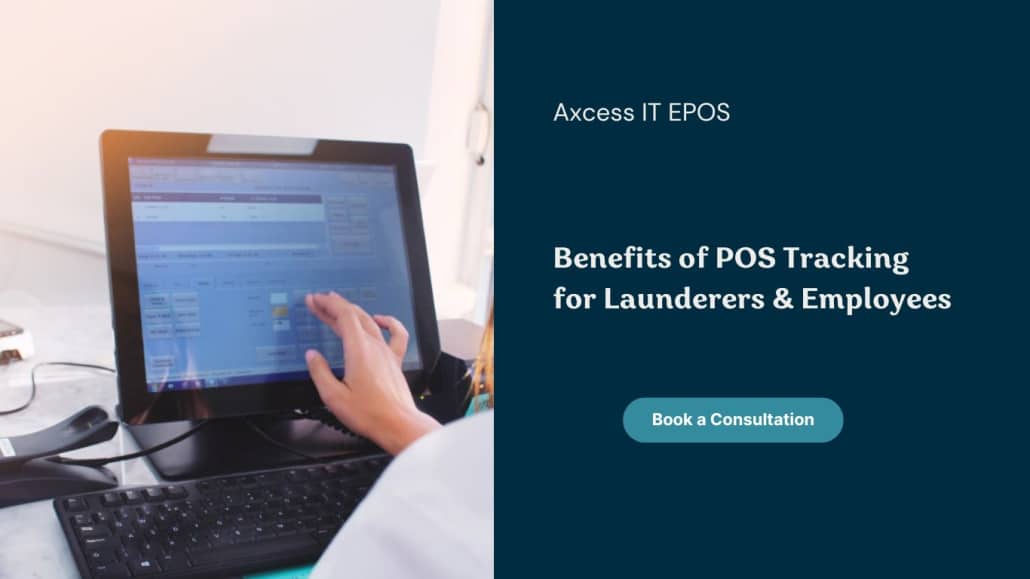
Ever wondered how productive your employees are? You surely know their duties and schedules assigned, but their true performance can be tracked with some valuable insights. That’s when you understand the importance of point-of-sale tracking.
Your Axcess IT Clean Touch EPOS system can do more than track clock-ins and outs of the employees. It is efficient enough for tracking each employee’s productivity, allocating shifts, suggesting incentives, and preventing thefts. This guide will make you explore each of the benefits in detail.
Tracking Employee Productivity
You’re set free from the worries of monitoring attendance, daily/weekly/monthly performance, and more which allows you to take necessary actions. Tracking POS is an invaluable asset for your business, especially for laundry and dry-cleaning businesses. It lets the owners assign tasks and optimize workflow at every step from the moment the garment is dropped off till ready for pickup.
The performance metrics allow businesses to reward top achievers and highlight improvement areas for underperformers. Employees can be assigned tasks as per their strengths which can result in faster turnaround times and ensure better customer service.
Incentivizing Employees
POS tracking motivates your team to excellent performance. Launderers can set up incentive programs which serve as an encouragement for employees to handle a higher number of orders. This would create a positive impact by giving a chance to the employees for minimal rework, focus on quality & work efficiently.
Optimizing Shift Allocation
By analyzing peak hours and staff performance through POS data, you can allocate shifts more effectively. For instance, you might schedule your most productive employees during busy times, ensuring that you meet high customer demand efficiently. This data-driven shift management helps maximize productivity and improves overall service quality.
Preventing Theft and Fraud
Theft prevention is a crucial factor which makes laundry and dry-cleaning businesses track employees. Clean touch EPOS is efficient enough for tracing and limiting employee’s access to sensitive information. Employees are assigned distinct permissions (relevant to their roles) as compared to store managers and owners. This adds layers of security through RFID and biometric fingerprint readers, thus restricting employees from unauthorized access.
POS systems can be made stronger as a theft prevention tool by integrating video surveillance. It empowers business owners to cross-verify any suspicious activities from employees. Suspicious activities can be spotted easily while reducing risks of fraud in future.
Conclusion
For laundry and dry-cleaning businesses, POS tracking is a powerful tool for enhancing employee productivity. It allows for accurate monitoring of performance, better task management, and efficient shift allocation, and provides data-driven incentives that motivate employees to perform at their best. Implementing a POS system helps streamline operations and improves overall service quality, leading to satisfied customers and a more profitable business.
https://axcess-it.co.uk/wp-content/uploads/2024/10/POS-Tracking.jpg7681366adminhttps://axcess-it.co.uk/wp-content/uploads/2020/12/Axcess-logo-1-300x170-300x142.pngadmin2024-10-05 11:26:212024-10-05 11:26:21Benefits of POS Tracking for Launderers & Employees
Customer convenience is the key mantra for success in the laundry and dry-cleaning industry. Implementing the best of POS marketing is the only way to streamline business operations, gain valuable insights, and boost customer engagement while staying ahead of the competition.
Using one of the most efficient tools such as Axcess IT Clean Touch EPOS empowers your laundry and dry-cleaning business in several ways. With better administrative control, it is possible to drive more sales and enhance customer satisfaction too. Let’s explore how Point-of-sale in marketing applies to this service-based industry and how Axcess IT can help you transform your business.
What is POS Marketing?
Also called Point of Sale Marketing, this promotional effort is all about capturing customer’s attention while completing their transactions. In terms of laundry and dry-cleaning businesses, POS mean in marketing refers to special offers/discounts, upselling premium services (such as express cleaning, loyalty programs, etc) that reward loyal customers.
Our EPOS supports this idea and integrates it into an advanced and easy-to-use platform designed specifically for the laundry industry. By combining POS marketing tools with inventory management, customer engagement features, and data analytics, we help businesses not let go of the benefits & make the most of every customer interaction.
Why is POS Marketing Important for Laundry and Dry-Cleaning Businesses?
For the laundry and dry-cleaning industry, retaining customers is a very important. It is vital to earn customer loyalty and avail repeat business. This also means, your business can turn every single transaction into an opportunity for:
Encouraging customer loyalty: Loyalty programs are still the best choice for encouraging loyalty among existing customers. Clean Touch EPOS helps you track customer visits and offers generous discounts/benefits as they reach a specific threshold to make them come back to you for laundering services.
Boost customer engagement: Our smart EPOS can also send personalized promotional offers and reminders to your customers as per their order history. This enhances the entire experience while ensuring customer’s loyalty to your brand.
Promoting add-on services: For instance, while a customer is here to drop off their regular laundry, your POS system can suggest special deals on dry-cleaning services for delicate items.
Key POS Marketing Strategies for Laundry Businesses
If you’re wondering about the top POS marketing strategy, let us share some of the best ones to consider:
Loyalty Programs
It feels good when your customer feels valued. Why not make them feel valued by implementing a loyalty program through your POS system? Let them enjoy smaller perks while they reach milestones with reward points earned at every purchase. Allow them to redeem their rewards (free services or discounts) with later orders so that they always feel appreciated, always.
Upselling Premium Services
Suggest premium services like fabric softeners, express cleaning, special garment care, etc during checkout. It gives customers the chance to upgrade their services at minimal cost which becomes a revenue-earning tool for the business.
Targeted Promotions
Point-of-sale marketing tools allow businesses to run target promotions smoothly. For instance, offering discounts or particular services during non-rush hours/flash sales on bulk laundry. Such tailored promotions curated exclusively as per customer’s history and preferences ensure optimal benefits. It also ensures relevance and promises customer engagement.
For more understanding regarding promotions, you should first get in-depth knowledge regarding Cost-focused strategy too.
How Clean Touch does EPOS enhance POS Marketing for Laundry Businesses?
Designed to optimize your laundry and dry-cleaning business operations while supporting effective POS in marketing, ours is the right choice for most launderers. Here’s how it helps:
Get Market Trend-updates:
Track your supplies, detergents, and cleaning chemicals with ease
Avoid stockouts
Identify trends, like when certain services are in higher demand
Customer Data Insights
Capture and analyze customer data
Personalize offers
Suggest relatable complementary services
Improve overall customer satisfaction
Automation and Efficiency
Higher efficiency among staff
Better experience for the customers
Minimal reliance on manual processes
Feasible order tracking to payment processing
Integrated Marketing Tools
Built-in tools to create email campaigns, send SMS reminders or run promotions
Offer seamless transaction experience to customers
Digital Receipts
Send receipts via email or SMS
Create an opportunity to drive leads while including promotional offers on the next visit
Online Booking Integration
Integration of online booked services into the POS system
Fulfilling customer experience offering a seamless experience from booking to payment
Provide convenience in all ways possible to encourage repeat business
Why Choose Clean Touch EPOS for Your Laundry Business?
Axcess IT Clean Touch EPOS is tailored specifically for laundry and dry-cleaning businesses, ensuring it meets the unique needs of the industry. Whether you’re a small dry cleaner or a large laundromat, this valuable tool can help streamline your operations and enhance your marketing strategy.
Here’s why it stands out:
User-Friendly Interface: Intuitive and easy to use, so your staff can quickly process orders, track inventory, and engage with customers without hassle.
Advanced Features: From loyalty programs to real-time data tracking, EPOS offers everything you need to manage and grow your laundry business.
Customer Support: With dedicated customer support, you can always count on EPOS to help resolve any issues and ensure your business runs smoothly.
Investing in the right POS system not only helps you manage transactions but also elevates your entire customer experience. Make the most of your laundry business with the smart EPOS by Axcess IT and see how easy it is to implement effective marketing strategies.
https://axcess-it.co.uk/wp-content/uploads/2024/09/POS-Marketing.jpg10801920adminhttps://axcess-it.co.uk/wp-content/uploads/2020/12/Axcess-logo-1-300x170-300x142.pngadmin2024-09-20 06:40:082024-09-20 06:40:08POS Marketing for Laundry and Dry-Cleaning Businesses
Laundry & Dry-cleaning businesses are now increasingly relying on technology for streamlining everyday and vital operations. Learning the basics of installing a POS machine is essential for such service-oriented businesses. While the POS system simplifies a lot of business operations and boosts overall efficiency, it is something entrepreneurs can rely on for enhancing customer experiences.
This guide discusses everything you need to know regarding the installation process of a point-of-sale machine so your business runs smoothly.
About the POS Machine
The POS Machine is a valuable tool for service-based businesses wherein daily transactions happen. It’s here to handle seamless payment processing and recording transactions alongside precise inventory management. Whether you have just created a POS setup or refreshed the same, knowing how to install a POS Machine leads to efficient order processing.
Why does your Laundry & Dry-cleaning business need one?
Time is money in terms of any business, specifically laundry & dry-cleaning. Customers expect prompt services and accurate billing. With a quick and efficient POS setup, it is possible to record transactions in real-time quickly, minimize the risk of errors, and ensure faster payment processing. Additional features like digital receipts, inventory & sales tracking, analytics & reports as offered by Axcess IT Clean Touch EPOS are valuable for organized operations.
Set up a POS machine and you can perform tonnes of administrative tasks effortlessly. The POS system will track valuable data insights for identifying peak business days/hours, customer-specific preferences, and so on. It will help in enhancing your services further.
Are POS installation costs charged extra?
The POS installation services cost varies among companies and package choices. While some packages include the installation cost, others may charge extra for setting up hardware and software at your premises.
Make sure to choose a POS system provider with a professional approach to hardware setup and software installation. Also, consider staff training and the smooth functioning of the system instead of just considering free installation.
How to install a POS Machine?
Installing a Point-of-Sale machine may seem daunting at first, but it can be simplified by breaking it down into manageable steps. Here’s a simple guide to help you with the process:
1. The first step is to Unbox and Prepare the Equipment for installing a POS machine. As per your setup/package, it may include the POS terminal, card reader, barcode scanner, receipt printer, and cash drawer. Keep all the required cables and accessories before proceeding to the next steps.
2. Connect the POS terminal to the Power plug. Most POS systems come with an adapter and cable for connection. Ensure that your power source is stable to prevent interruptions during transactions.
3. Connect all Peripherals like the barcode scanner, printer, and cash drawer.
4. Set Up a stable Internet Connection via Wi-Fi or a wired Ethernet connection.
5. Test the System by running a few sample transactions. Ensure that the card reader works, receipts are printed, and the cash drawer opens when required. This step will help you confirm that the system is functioning correctly.
How to install POS software?
Once hardware is set up, move next to installing POS software. Here’s how you can get your POS software up and running:
1. Install the Software on the Terminal with the help of the POS vendor you purchased it from. Such software often accompanies an installation guide too.
2. Customize Settings as per your business needs.
3. Connect the Software to Payment Processors to enable card payments/full-suite payment processing services to customers (online and offline).
4. Regular Updates are required for keeping to software up-to-date. Keep the update settings to ‘Auto’ for optimal performance and security.
Allow the POS Installation Company to look after your 360-Degrees EPOS System Needs
In case you don’t own a POS to date or looking for the best EPOS service company that also provides an efficient installation process, count on Axcess IT. From delivering the electronic point of sale system with powerful features and advanced functionalities, we extend our services to setting up the entire system at your premises for your convenience.
We aim to install the Electronic POS solution for your business tailored to your needs with seamless features like:
Note: We provide full-cycle services from hardware to software installation, staff training, prompt after-sales assistance, and immediate help whenever required. Our technical team is here to assist as and when needed, even if it has been months/year installing the POS Machine. Since customer satisfaction is our main goal, we ensure timely checks for smooth operations. on the day of installation, our technical support gets in touch with staff and owners to assist them in every possible way for using the epos. we call them every day for about a week just to ensure the smooth transition usage of the EPOS by the staff and Owners.
Ready to pull all these benefits for your business? Let’s connect!
https://axcess-it.co.uk/wp-content/uploads/2024/09/installing-a-POS-Machine-1.jpg10801920adminhttps://axcess-it.co.uk/wp-content/uploads/2020/12/Axcess-logo-1-300x170-300x142.pngadmin2024-09-11 09:40:412024-09-11 10:19:27How to install a POS Machine: Step-by-Step Guide
In the digital world where everything is accessible online easily, the need for Offline Credit Card Processing remains. While transactions will mandatorily happen with businesses, poor connectivity to the internet calls for accepting offline payments. Even though they happen less often, your business should facilitate it readily for smooth experiences.
This blog is all about the basics of offline card processing, how such transactions are processed, the pros & cons, and more.
What is offline credit card processing?
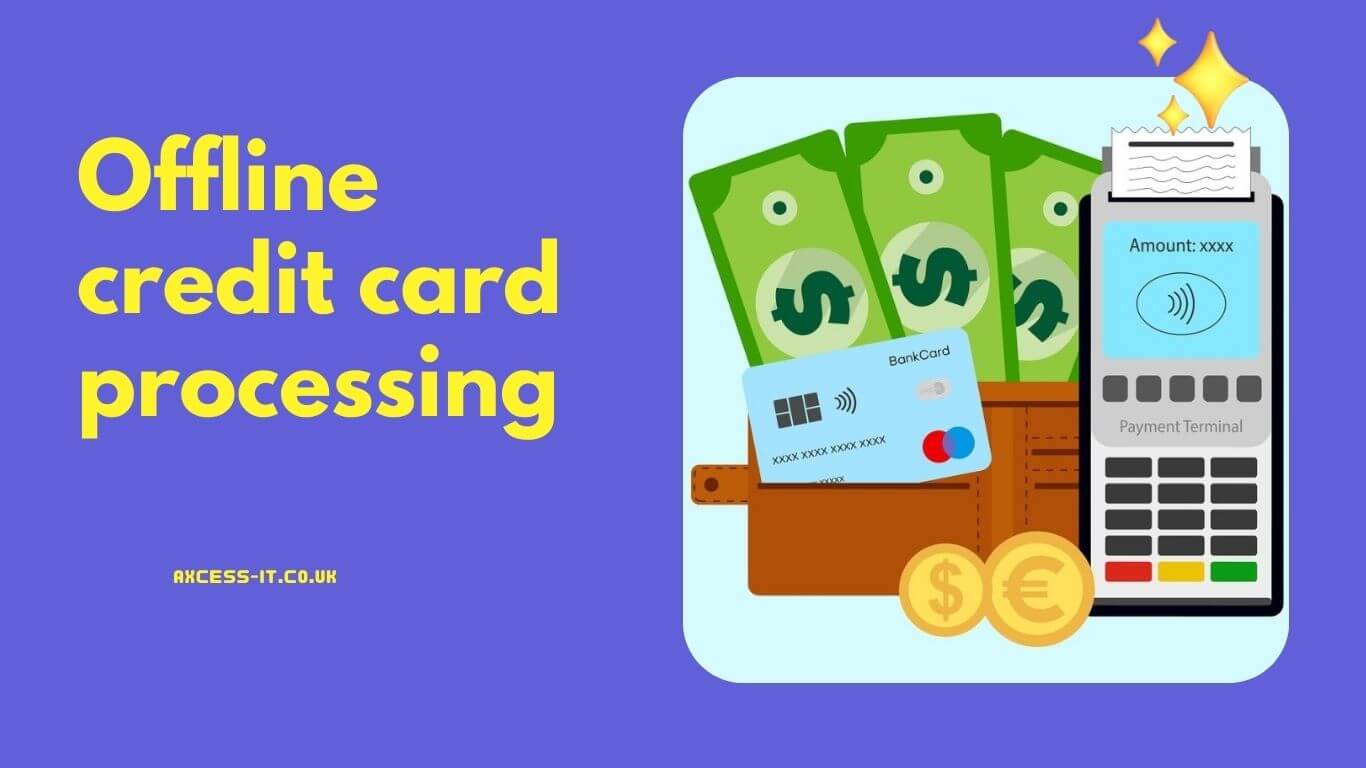
Offline credit card transaction processing is all about accepting payments made through a credit card in the absence of an active internet connection. With online transactions, payments are processed immediately with authorization. However, offline payments require businesses to store transaction details securely so that they can be processed promptly as the internet connection is restored.
So, what kind of businesses require this facility? The answer is – ‘all’. Inconvenience to the internet network is uncertain and can happen to any business, even laundry and dry-cleaning stores where numbers of transactions are processed daily. The idea is to keep transaction processing efficient and convenient for customers, retain customer satisfaction, and avoid potential revenue loss due to such mishaps.
How are offline credit/debit transactions processed?
Offline transactions made via credit or debit cards are processed a bit differently than online transactions. Here’s how they work:
1. Deferred authorization – Unlike online transactions where authorization happens immediately, transactions made offline are stored for authorisation later. Hereby, the risk of transaction decline remains with the business.
2. Batch processing – When the internet connection is restored, the payment processor sends all the stored transactions for authorization. The availability of funds is checked & confirmed and the transaction is completed.
3. Settlement – Once authorization is done successfully, funds are transferred from the customer’s bank account to the merchant’s account which marks an end of transaction processing.
Pros & Cons of Offline Card Processing
Pros
Cons
Uninterrupted Transactions: Even if a live internet connection is unavailable at the moment, transactions are still getting processed smoothly. This ensures zero impact on sales during network outages.
Risk of Transaction Decline: If the transaction fails after the internet connection restores, it will be a risk of loss for the business.
Customer Satisfaction: With faster payment processing in the absence of active internet, customers can complete transactions uninterruptedly. It only increases customer satisfaction.
Affected Cash Flow: Offline payments may take longer to process than those made online. This can affect the entire cash flow of businesses.
Lower Reliance on the Internet: If your store is located at a place where frequent internet outages occur, you can rely on such transactions.
Data Security Concerns: Even if the transaction details are saved temporarily, stringent security measures are required to prevent data breaches.
Benefits of facilitating Offline Transactions at Laundry & Dry-Cleaning Outlets
If you own a laundry & dry-cleaning outlet at a place where internet outages are frequent, facilitating offline payments can make a huge difference.
1. Uninterrupted Payment is Ensured
2. Staff’s efficiency remains unaffected
3. Flexibility is maintained while accepting card payments
How to process offline payments at your POS?
To be able to accept payments offline, you must have a point-of-sale system supporting this feature.
Here is a stepwise guide. You need to check if your existing POS is capable enough for handling transactions offline. If not, you will need an advanced system like Axcess IT EPOS that functions efficiently and ensures seamless transactions during internet outages.
Top Features of Clean Touch EPOS
➣ Numerous payment management controls with simplified offline credit and debit card processing. ➣ Easy refunds and voided payment management ➣ Updates sent via SMS notification to customers ➣ Optimal staff management ➣ Barcode scanning ➣ Garment tracker ➣ Day-end reports ➣ & many more
The Takeaway
Processing credit card transactions offline is a valuable functionality for businesses, especially those operating in the outskirts or with poor network infrastructure. Understanding the benefits and risks of such payment processing allows businesses to make informed decisions. For niches like laundry & dry cleaning, customer satisfaction and operational efficiency are paramount. It also helps in safeguarding revenue, thus being a smart choice for any business looking to provide exceptional service under all conditions.
Despite its common usage, many people are unclear about what POS Debit means and how it fits into the broader landscape of financial transactions. This blog details the concept of POS Debit, its significance in point-of-sale transactions and how laundry and dry-cleaning businesses can optimize their POS systems for smoother customer experiences.
What is POS Debit?
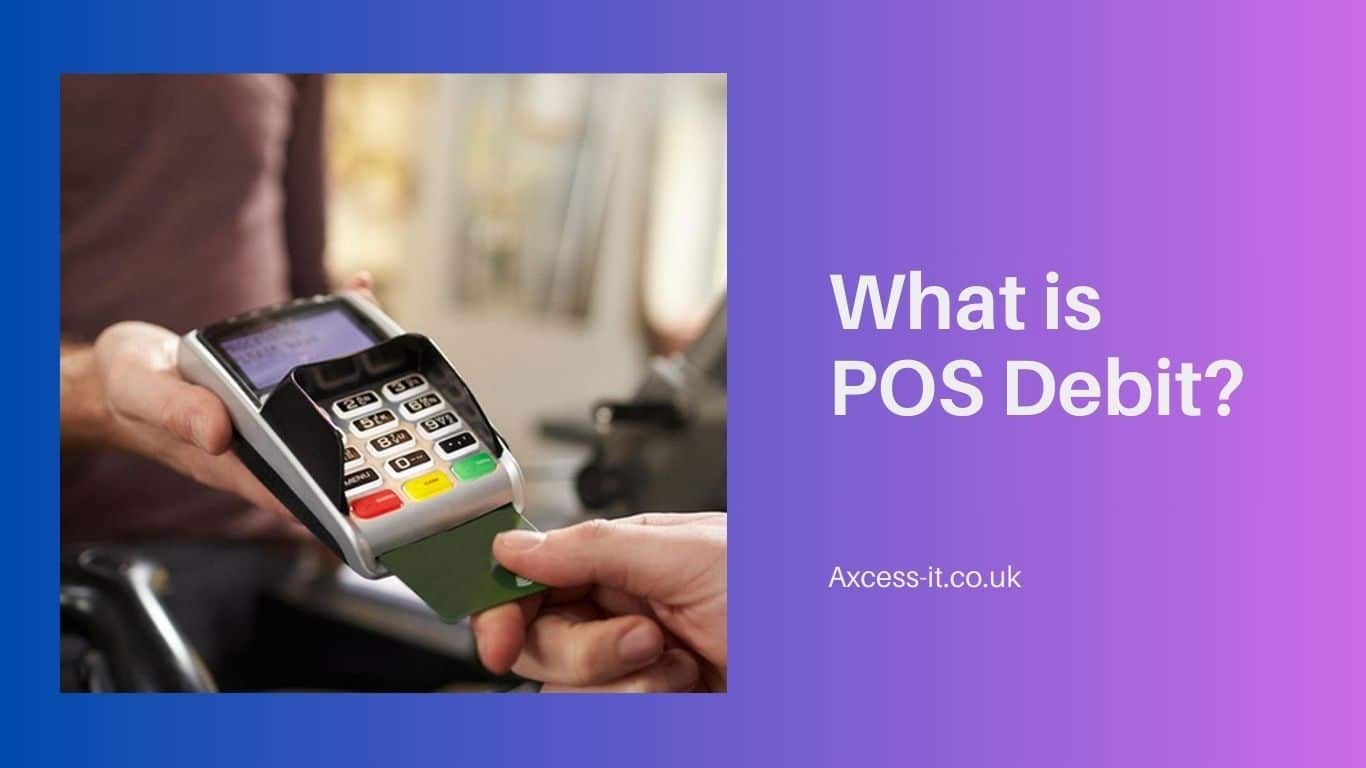
POS Debit, or Point-of-Sale Debit, refers to a transaction made using a debit card at a point of sale.
In simpler terms, when you swipe your debit card at a launderer’s outlet or dry-cleaning shop, any other physical or online order, the transaction that deducts money directly from your bank account is called a POS Debit.
Unlike credit transactions, where the amount is billed to you later, a POS Debit transaction instantly reflects in your account, reducing your available balance.
About POS Debit Transactions
POS Debit transactions are the backbone of retail and service-oriented businesses, including laundry and dry-cleaning. They are not limited to in-store purchases; they also encompass online transactions, mobile payments, and even bill payments made using a debit card. These transactions are processed through secure payment gateways, ensuring that funds are transferred directly from the customer’s bank account to the business’ account, usually within a matter of seconds.
POS Debit transactions are highly convenient and are widely accepted across the globe. They allow customers to pay for the products or services without having hard cash at the moment. For businesses, they offer a quick and reliable method to receive payments, boosting cash flow and reducing the risk of non-payment.
Let us introduce you to different types of POS Debit transactions incorporated by businesses as per their needs and customer preferences:
1. In-Person POS Debit Transactions: These occur when a customer physically swipes, inserts, or taps their debit card at a payment terminal in a store or restaurant. The transaction is processed instantly, with the funds deducted from the customer’s bank account in real-time.
2. Online POS Debit Transactions: These involve the use of a debit card for purchases made through e-commerce platforms. Customers enter their card details at checkout, and the transaction is processed electronically, similar to in-person transactions.
3. Mobile POS Debit Transactions: With the rise of mobile payment apps, customers can now use their smartphones to make POS Debit transactions. Whether it’s through a dedicated app or via mobile wallets like Apple Pay or Google Pay, these transactions are becoming increasingly popular.
4. Recurring POS Debit Transactions: These are automatic payments set up for regular services like subscriptions, utility bills, or memberships. The customer’s debit card is charged automatically at specified intervals, ensuring timely payments without manual intervention.
What is a Merchant Descriptor?
A Merchant Descriptor is the brief description that appears on a customer’s bank statement for a POS Debit transaction. It typically includes the name of the business and sometimes additional details like the location or the type of transaction. Merchant Descriptors are important for helping customers to reconcile their bank statements while identifying their purchases.
Common Merchant Descriptor Pitfalls & Ways to Avoid Them
Despite their importance, Merchant Descriptors are often overlooked, leading to issues such as:
1. Vague Descriptors: Using a generic or unclear descriptor can confuse customers. For example, if a coffee shop simply uses “Cafe” as its descriptor, the customer may not immediately recognize the transaction.
2. Inconsistent Naming: If a business uses different names for its Merchant Descriptors (e.g., “Cafe X” on one transaction and “X Cafe” on another), it can lead to customer disputes.
3. Lack of Detail: Not including enough information, like location or transaction type, can make it difficult for customers to recall the purchase.
To avoid these pitfalls, businesses should ensure that their Merchant Descriptors are clear, consistent, and informative. Including the business name, location, and a brief description of the product or service can go a long way in preventing disputes and enhancing customer trust.
Make your POS System Fuss-free for Customers with Clean Touch EPOS
To provide a seamless experience for customers, businesses should consider investing in a reliable and user-friendly POS system like Clean Touch, an Axcess IT EPOS. This system simplifies the payment process, offering features such as:
➣ User-Friendly Interface: Intuitive design makes it easy for staff to handle transactions, reducing errors and improving efficiency.
➣ Payment Source Tracking: Whenever the customer makes payment, the EPOS can track whether it was made through cash, card, cheque, or any other mode. This tracking makes it convenient to determine the source of payment used by the specific client, in case any issue arise.
➣ Feasible Integration: It is compatible with several payment methods preferred by customers, including debit or credit cards, and net banking.
➣ Customizable Merchant Descriptors: Allows laundry and dry-cleaning businesses to set clear and consistent descriptors for all transactions.
➣ Real-Time Processing: Ensures that transactions are processed quickly and securely, reducing wait times and enhancing customer satisfaction.
Let us also mention, the features listed above are to be mentioned as a few, our EPOS is smart and efficient for handling POS Debit Transactions like anything. Here are our key features applauded by laundry and dry-cleaning businesses.
➣ Re-stock alerts & Handy inventory management
➣ Customer Relationship Management
➣ Notifying suspicious activity
➣ Staff Management
➣ Credit card integration
➣ Garment Tracker
➣ Email updates
➣ And more…
FAQs
1. What is a POS withdrawal?
A POS withdrawal refers to the process of withdrawing cash from your bank account using your debit card at a point of sale, typically offered at some outlets in conjunction with a purchase.
2. What does the POS Debit on your bank statement means?
POS Debit meaning on your bank statement is nothing but your recent transaction made using your debit card at a POS Machine which led to an immediate transfer from your bank account.
3. How to differentiate between point of sale and POS Debit transactions?
A point-of-sale transaction can involve any form of payment, including credit, cash, or digital wallets, whereas a POS Debit transaction indicates the payment made through a debit card which has affected your bank statement.
4. What are point of sale charges?
POS charges are fees paid by the businesses for processing payments made by customers via POS terminals or online/phone/email purchases. These charges include transaction fees, card processing costs, monthly discount rates, and more.
https://axcess-it.co.uk/wp-content/uploads/2024/08/what-is-POS-debit.jpg7681366adminhttps://axcess-it.co.uk/wp-content/uploads/2020/12/Axcess-logo-1-300x170-300x142.pngadmin2024-08-27 06:03:592024-08-27 06:03:59What is POS Debit? Understanding Basics on Point-of-Sale Transactions
While POS (Point of Sale) systems are essential for businesses, it is important to care about their security too. These systems offer extreme convenience but also bring cyber threats along. If data security is ignored, your POS can share customer’s private information with unknown users which is why safeguarding it should be your priority.
In this blog, we will discuss what point of sale security is, its importance, and how you can ensure the same for protecting end-users’ information.
What is POS Security?
POS Security is all about putting protocols and security guidelines in the first place for safeguarding point-of-sale systems from data theft, unauthorized access & any kind of cyber threats.
As these systems collect sensitive user data (for instance: card/payment information), cybercriminals target such data repositories for collecting valuable data. So, a strong POS is not only necessary to keep secure customer data but also for retaining customer loyalty and maintaining your business’ trustworthiness in the market.
Why is POS System Security important?
Point-of-sale system security is vital from any perspective as it ensures the protection of integrity and confidentiality of customer’s private data. Leaving any loopholes for cybercriminals can cause security breaches, thus leading to open access to valuable customer data. It can end up as financial loss among individuals, affect business reputation negatively & make ventures undergo legal proceedings.
Customers share their personal information because they trust the business with their private and financial details. Any breach of the firm’s data security system erodes the trust irreparably.
How to ensure Point of Sale Systems Security?
Businesses need to adopt a comprehensive approach to protecting the security of POS systems. As these systems are connected to the internet, security remains a concern.
Here are some of the best ways to protect customer data:
1. Choose Dedicated Terminals
Having dedicated terminals could be the greatest step to take for trimming attack surfaces, thus making it tough for cyber fraudsters to breach security barriers. It is far better than having shared devices or terminals that are used for multiple purposes. You know your terminal is only engaged for transactions and used by a specific employee, to be precise. So, it is easy to identify any threatening circumstance.
2. Ensure Firewall Installation
Firewall performs gatekeeping of your point-of-sale system. It is capable of determining any security breach and informing the user with a notification for taking immediate action. This firewall installation creates a barrier against data thefts and establishes controlled authorization so that only authorized persons can access sensitive data.
3. Opt for Data Encryption
Make data encryption a rule for your point-of-sale system. When data encryption is turned ON, sensitive user data is stored as unreadable code during transmission or storage. So, even if someone breaches the system’s security, the data will be of no use to them as it’ll be non-readable without its decryption key.
4. Set Permissions
Not all of your employees can access everything your POS is capable of. To ensure this, you need to set employee permissions as per their job level so they can access the limited data they require for helping out customers. This allows sufficient information access and reduces the risk of data breach even by the employee.
For instance, the business owner needs POS data reports for analysis which should not be permitted for employees operating at checkout. So, set admin permissions accordingly which is different than employees.
5. Update Security Patches timely
Before blaming a data breach, ask yourself if you have well-maintained data security systems. Consistent updates and regular monitoring are suggested for keeping the POS system secure as expected. It also allows early identification of cyber infringements and takes immediate action accordingly. All you can do is:
➣ Update your POS Software regularly to ensure that the operating system, firewalls, and antivirus programs are running efficiently.
➣ If you’re fine with running automated updates, do it! You can be occupied by daily business operations while automating updates can look after the system’s security just right. It also reduces human errors while ensuring no important security updates are missed.
➣ Establish disaster recovery plans and educate your team regarding the same. Get them for hands-on practice so there is always a Plan B ready for minimizing the risk of financial loss or downtime. Anyone can take charge and sync the security as soon as possible.
➣ Incorporate regular backups, be it on-site or cloud storage. You can protect your customer data alongside the smooth functioning of daily business operations by doing so.
Prefer Only Genuine Provider for Secure POS
Choosing a genuine POS or EPOS Provider is crucial for keeping your system secure! While looking for a provider, shortlist those highlighting data security, offer transparent services, have disaster recovery plans handy, and have clear explanations on the accuracy of processes. You don’t just get peace of mind by choosing the best one but also avoid any data mishaps to retain customer’s loyalty and trust.
POS Security with Axcess IT EPOS
Axcess IT is a leader in providing secure EPOS solutions. Our systems are designed with cutting-edge security features that protect customer data while ensuring smooth operations. With our Clean Touch EPOS, you can be confident that your business and your customers are safe from cyber threats.
Ready for a FREE CONSULTATION for a tailored EPOS Solution guaranteeing optimal protection?
https://axcess-it.co.uk/wp-content/uploads/2024/08/POS-Security.jpg7681366adminhttps://axcess-it.co.uk/wp-content/uploads/2020/12/Axcess-logo-1-300x170-300x142.pngadmin2024-08-16 12:52:372024-08-16 12:52:37What is POS Security? How to Protect Customer Data?
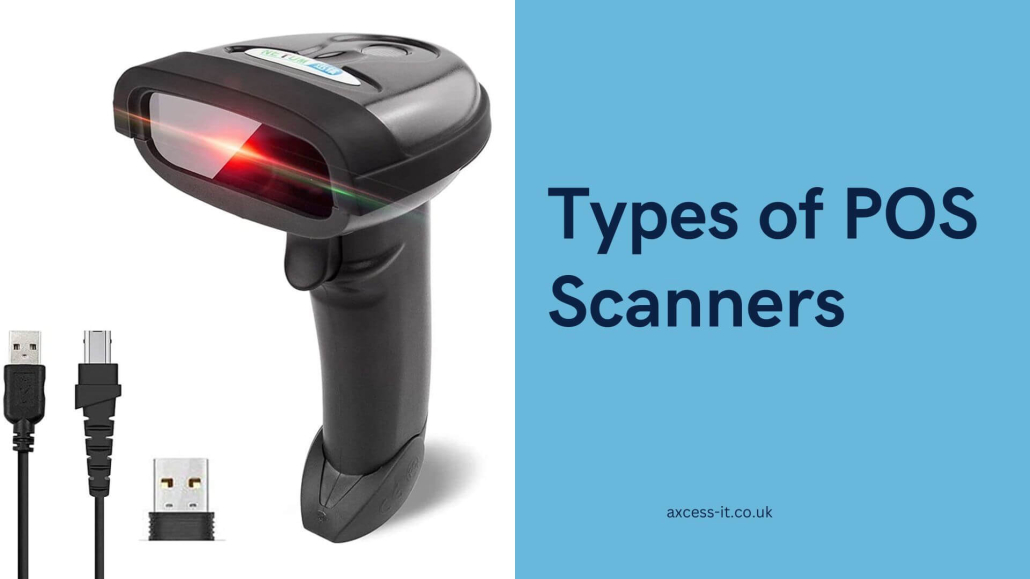
POS scanners are essential components for point-of-sale systems. These scanning devices make business operations convenient by reading barcodes/QR codes on the product labels in less than a second.
You may find point-of-sale (POS) scanners differing in scanning technology and the way they are operated. This made us bring 6 major types of POS Scanners here for your reference. Each scanner type is unique and meets the distinctive needs of the business environment.
7 Major Types of POS Scanners
1. Handheld Laser Scanner
Laser scanners are handheld devices you’ve commonly seen reading barcodes with a light beam reflecting out of them. They can read 1D barcodes like the ones commonly used in stores (UPC and EAN). They work over a range that can be from a few centimetres to several dozen centimetres.
Handheld laser scanners are known for their speed, ability to scan from a distance, and low error rate. They are ideal for busy launderer settings where quick processing of desk order items is needed.
2. Handheld CCD (Charge Coupled Device) Scanner
Such scanning devices use red light LEDs to shine on barcodes and a CCD sensor to capture the reflected light. This light is then converted into a digital signal for decoding. CCD scanners are straightforward and inexpensive, making them popular in small laundry and dry-cleaning stores.
While they can only read one-dimensional barcodes, like laser scanners, CCD scanners are effective at close range, typically within a few centimetres. Their wider light coverage helps them better read damaged or blurry barcodes.
3. Handheld 2D Barcode Scanner
Also called image scanners or camera readers, these 2D barcode scanners are the most common type used at checkouts and POS systems. They are capable of reading a wide variety of barcodes like 1D, QR codes, Data Matrix codes, and those appearing on electronic screens. These scanners use advanced CMOS sensor technology, offering precise and fast scanning capabilities.
With the growth of mobile payment options, 2D barcode scanners are now used for more than just scanning product barcodes. They also handle electronic coupons, and verification codes.
4. In-counter Barcode Reader
You see price scanners built into cash registers or counters capable of automatically reading 1D barcodes as items pass by. These are in-counter barcode scanners.
They use advanced sensors and lenses, allowing for hands-free operation and faster checkout without needing to position items precisely.
These scanners are more costly and require professional installation and integration with your POS system. If they break, repairs need a technician, which can disrupt operations. They also have a fixed scanning range, making them less flexible for large or irregularly shaped items compared to handheld scanners.
5. Wireless Barcode Scanner
The idea of a wireless barcode scanner is to bring the scanner to the inventory instead of taking inventory to the scanner. This improves daily business operations significantly and saves tonnes of
time and effort. Also called cordless scanners, these wireless scanners boost productivity with an extended scan range (up to 200 feet in certain cases) depending on the specifications you choose.
They also have dedicated internal memory for scanning multiple items at a time without any immediate dock proximity.
6. Fixed Barcode Scanner
Typically placed at cash registers, these scanners quickly and accurately read both 1D and 2D barcodes, including traditional product barcodes and mobile payment QR codes. They are perfect for small items.
Customers can easily scan their mobile payment QR codes for fast transactions, which speeds up self-checkout. These scanners are compact and don’t take up extra space, keeping the checkout area neat and efficient.
7. Large Field-of-view Scanner
These advanced devices capture extensive areas in a single scan, providing unparalleled efficiency and detail. Ideal for professionals across various sectors, they streamline workflows and enhance productivity.
Which POS Scanner do you think could be the game-changer for your business? Connect with Axcess IT EPOS and learn more about the best-match POS Scanners that can effectively align with your business requirements and cater to speed, reliability, and ease of use.
https://axcess-it.co.uk/wp-content/uploads/2024/08/Types-of-POS-Scanners.jpg10801920adminhttps://axcess-it.co.uk/wp-content/uploads/2020/12/Axcess-logo-1-300x170-300x142.pngadmin2024-08-06 11:48:002024-08-06 11:48:00Complete Guide on Types of POS Scanners
Web POS has already become a crucial part of businesses, especially laundry and dry-cleaning, for efficient and streamlined management of daily business activities. Web-based POS is one of the most innovative advancements in this field. But what exactly it is and how can it simplify your business operations? Let’s explore.
What is a POS System?
A POS system is a smart combination of software & hardware enabling businesses for processing sales, transactions, inventory management, and more of the crucial business operations. Earlier, such systems were identified as on-site setups having dedicated software and hardware. Now, it can be personalized and offers flexibility, scalability, and more benefits that business actually needs.
About Web-Based POS System
Also known as an EPOS (Electronic Point of Sale) system, it operates via the Internet. Unlike traditional POS systems, Web POS systems allow businesses to access and manage their POS functions from any device with an internet connection.
How does a Web POS System work?
1. Booking – With an interface that resembles the business’s overall outlook, it is high-performing and visually appealing at the same time.
2. Processing Transactions – This system allows handling several payment methods such as credit or debit cards, mobile-based payments, and online transactions from the device. It ensures faster, secure, and smooth payment processing.
3. Generating Receipts – It generates digital and printed receipts, providing customers with proof of purchase and aiding in record-keeping.
4. Synching Data – Data synchronization ensures that all transaction and inventory data is updated in real time across all connected devices and locations.
5. Inventory Management – It assists with tracking inventory levels, alerting businesses when stock is low and helping prevent overstocking or stockouts.
6. Analytics and Reporting – These systems offer detailed analytics and reporting features, allowing businesses to monitor sales performance, track trends, and make data-driven decisions.
Bonus Features, Beyond Basics
Effective Employee Management – This system can track employee hours, manage schedules, and monitor performance, making workforce management more efficient.
Optimal Inventory Control – Advanced inventory control features help businesses maintain optimal stock levels, reducing waste and improving profitability.
Top Benefits of Web POS/EPOS System that make businesses go for it
1. Recording Daily Sales
Web-based point of sale system makes daily operations seamless with automated recording of sales transactions, thus ensuring accuracy and feasible access to sales data.
2. Inventory Management
It’s extremely convenient to maintain optimal stock levels and avoid stock-outs with the real-time inventory tracking feature it offers.
For instance, Clean Touch assists with automated stock take process wherein the system notifies the administrator regarding stock level updates. Vital information like re-ordering alert or missing stock/item and misuse (like theft) can be notified for prompt actions.
3. Effective Interactions with Customers
By enhancing customer interactions with quick and efficient services, this system can also personalize experiences and offer loyalty programs.
4. Strategic Business Management
This system provides with comprehensive reporting and analysis that further assists in effective business planning and strategic decision-making.
5. Better Take on Business Operations
Streamlined operations and integrated functions improve overall business efficiency.
6. Efficient Employee Handling
The system must be efficient and promising enough for bettering employee management which helps in optimize your workforce productivity, thus reducing administrative burden.
7. Cope up with Seasonal/Event Sales
EPOS systems are capable of handling increased transaction loads or peak volumes happening during some seasons or special events.
Things to Consider While Choosing Your Web POS Software
1. Customization Options
Opt for an EPOS Software like Clean Touch by Axcess Web which offers customization excellence tailored to your needs. Get a Web Point of Sale System that is exclusively designed as per the
requirements of your business. From online booking to expense tracking, customizable pricing, multi-store management, mobile app integration, loyalty programs, and more, you can get it all.
2. Integration & Compatibility
Ensure the software integrates seamlessly with your existing systems and is compatible with various devices and platforms.
3. Scalability & Hidden Costs
Choose a scalable solution that can grow with your business and be aware of any hidden costs associated with the software.
4. User-friendliness, Training & Support
The software you select must be anything but user-friendly so your staff can start operating with minimal hassles, even if they haven’t used such system before. Also ensure, the makers provide extensive support for ensuring smooth transition & 24*7 customer support.
5. Key Features & Advanced Functionalities
Evaluate the essential and advanced features offered by the software to meet your business needs.
6. Data Security & Regulatory Compliance
Ensure the software provides robust data security measures and complies with relevant regulations.
7. Reliability & Overall Performance
A reliable system which is high-performing and has minimal downtime is must for unbreakable business operations.
8. Existing Customer Reviews
Consider feedback from current users to gauge the software’s effectiveness and customer satisfaction.
Axcess IT Clean Touch EPOS – Best & Efficient Web-based POS Solution for Launderers
Axcess IT Clean Touch EPOS is a UK-based Electronic point-of-sale system specifically designed for meeting needs of laundry businesses. It offers robust features, seamless integration, and reliable performance, making it an ideal choice for businesses in the laundry sector. Whether you own a small or well-established laundering setup, we can customize it as per your requirements to fit your needs perfectly.
Summary
POS web systems can transform the business operations, the way you have always dreamt of handling and managing even the basic tasks. From booking and transaction processing to inventory management and detailed analytics, these systems offer a comprehensive solution to streamline business processes. By choosing a reliable one like Clean Touch EPOS, businesses can enhance efficiency, improve customer satisfaction, and achieve better overall performance.
https://axcess-it.co.uk/wp-content/uploads/2024/07/Web-Based-POS-System.jpg10801920adminhttps://axcess-it.co.uk/wp-content/uploads/2020/12/Axcess-logo-1-300x170-300x142.pngadmin2024-07-23 07:32:332024-07-23 07:32:33What is a Web POS System & how it makes your life easier?
An effective point-of-sale system streamlines operations, improves customer service, and provides valuable insights. However, making the wrong choice can lead to inefficiencies, increased costs, and frustration.
Here are common mistakes businesses make when choosing EPOS software and how to avoid them.
6 Common Mistakes While Choosing an EPOS Software
1. Looking for a ‘cheap’ EPOS System
Don’t make a low-cost EPOS backfire on your software’s long-run value. Sit back and relax while you’re scrolling options. Never make ‘low price’ your only measure for choosing software. List down your business’s core requirements, the features you expect, future growth compatibility, and so on.
2. Not prioritizing Hardware & Software equally
Never purchase your hardware first and then hunt for software that fits your system. It’s a red flag because it limits your choices and you’ll be forced to choose something standard instead of the best one. Why not explore hardware and software together? Try to identify your business requirements like inventory management, CRM, reporting , marketing tools, integration of other software/applications and analytics tools, etc and then find software that’ll meet those needs effectively.
3. Thinking there is only one EPOS solution for all Businesses
Every business has unique requirements and a generic POS may seem a legitimate option available but don’t make this mistake ever. If you’re in a laundry and dry-cleaning business, your requirements are different than those of someone who is from another business area. So, getting a personalized EPOS will be a smarter choice instead of thinking one size fits all.
4. Overlooking security features
It’s one of the most important stuff you should be looking for in an EPOS. Is it even reliable if not secure? Look for the features that the software offers regarding security like protection from data breaches, regular security updates, encryption, secure login protocols, cash management, etc. This should also be discussed and clarified while speaking to the sales team as you approach a software company.
5. Ignoring Proper Staff Training & Technical Support
Even if you’re getting the most user-friendly EPOS for your business, your staff still needs training to operate it optimally. Proceed with one (like Clean Touch) that offers comprehensive staff training and technical support for maximum performance and minimal downtime of the software. Ensure that the company provides video tutorials, on-site training and has 24*7 availability.
6. Only focusing on current needs
Maybe you’re a startup and looking for an EPOS to keep up with your business needs. But, think about scalability and future growth opportunities. Choose an electronic point-of-sale system that need not be swapped during high time, offers multi-store functionality, accommodates growing inventory and transactions, etc. Think of the big picture else you’ll have to buy and begin again.
Final Lines
By avoiding these common mistakes, you can select a system that meets your business needs, enhances efficiency, and supports growth.
Axcess IT Clean touch EPOS is one of the best that’ll meet your needs. It is a former choice among laundry and dry-cleaning businesses. From assessing your requirements to prioritizing user-friendliness, ensuring scalability, and understanding the importance of integration, security, and support. Everything has been taken care of.
With the right software like Axcess IT Clean touch EPOS in place, you can focus on what matters most – growing your business and serving your customers.
https://axcess-it.co.uk/wp-content/uploads/2024/07/Common-Mistakes-While-Choosing-an-EPOS-Software-1.jpg10801920adminhttps://axcess-it.co.uk/wp-content/uploads/2020/12/Axcess-logo-1-300x170-300x142.pngadmin2024-07-16 13:07:492024-07-16 13:07:49Common Mistakes While Choosing an EPOS Software
Efficiency and accuracy are the most crucial factors for laundry and dry-cleaning businesses. Point of sale integration system is something that sticks to it for enhancing customer experiences. No wonder, traditional POS systems are ruling for decades but integrated POS systems have revolutionized businesses operations like never before.
In this blog, we will explore what a POS System Integration is, delve into the specifics of integrated Point-of-sale systems, and highlight the top benefits they offer.
Whether you’re a small launderer looking to upgrade your existing setup or a large dry-cleaning enterprise seeking to optimize your operations, understanding perks regarding integrate POS system can help you stay competitive and grow your business effectively.
What is a POS?
A Point of Sale (POS) system is the core part of any and every business, including laundry and dry-cleaning. It is the place where sales transactions occur, whether that’s in a brick-and-mortar store, online, or on-the-go with mobile systems.
Traditionally, POS systems were just cash registers that recorded sales, calculated change, and printed receipts. However, modern POS systems have evolved into complex software and hardware integrations that manage various aspects of business operations, from inventory tracking to customer management.
What is an Integrated POS System all about?
An Integrated POS System is an advanced version of the traditional POS, designed to connect various business operations into one cohesive system.
This integration means that the POS system is not just limited to processing sales but also combines functionalities like inventory management, financial management, customer relationship management (CRM), sales, and marketing. In addition, it streamlines how payment processing works.
Top Integrated POS Benefits
Inventory Management
Managing inventory efficiently is crucial for any business and an integrated point of sale system helps with real-time inventory tracking. Further, it assists with maintaining optimal stock levels to avoid overstocking/stockouts. You can automate purchase orders, set reorder points, and track product movements across multiple locations. This not only saves time but also ensures that you always have the right products available for your customers.
Benefits of Inventory Management with Integrated POS:
Real-time stock updates
Automated reorder alerts
Detailed inventory reports
Reduced risk of overstocking and stockouts
Improved supply chain management
Financial Management
Financial management is another critical area where an integrated POS system excels. It streamlines your accounting processes by automatically recording sales, expenses, and taxes. This integration reduces manual entry errors and provides accurate financial data for better decision-making. You can generate financial reports, track profit margins, and improve cash flow effectively.
Benefits of Financial Management with Integrated POS:
Accurate financial records
Automated sales and tax calculations
Detailed financial reporting
Improved cash flow management
Simplified accounting processes
Customer Relationship Management (CRM)
Understanding and managing customer relationships is essential for business growth. An integrated POS system with CRM capabilities allows you to collect and analyze customer data, track purchase history, and personalize customer interactions. This data-driven approach helps in creating targeted marketing campaigns, enhancing customer loyalty, and improving overall customer satisfaction.
Benefits of CRM with Integrated POS:
Detailed customer profiles
Personalized marketing campaigns
Enhanced customer loyalty programs
Improved customer satisfaction
Better customer insights
Sales and Marketing
An integrated POS system provides powerful tools for sales and marketing. You can track sales performance, identify trends, and develop effective marketing strategies. The system can automate promotional campaigns, offer discounts, and track the success of marketing efforts. This ensures that your sales and marketing initiatives are data-driven and effective.
Benefits of Sales and Marketing with Integrated POS:
Real-time sales tracking
Automated promotional campaigns
Detailed sales analytics
Improved marketing strategies
Enhanced sales performance
Payment Integration
You can say that Payment processing is the most crucial part of any POS system. An integrated POS system supports multiple payment methods, including credit/debit cards, mobile payments, and contactless transactions. This flexibility ensures a smooth and secure checkout experience for your customers. Additionally, it helps in reconciling payments with sales data, reducing discrepancies, and simplifying financial management.
Benefits of Payment Integration with Integrated POS:
Multiple payment options
Secure and fast transactions
Simplified payment reconciliation
Reduced payment discrepancies
Enhanced customer convenience
Get CleanTouch EPOS – Your Ultimate Integrated POS System for Laundry & Dry-Cleaning
For businesses in the laundry and dry-cleaning industry, Axcess IT CleanTouch EPOS offers the ultimate integrated POS solution.
Designed specifically to meet the unique needs of laundry and dry-cleaning services, your business just simplifies as it is integrated with POS. Imagine: All the essential business operations into one seamless system. From managing inventory and tracking financials to enhancing customer relationships and streamlining sales and payments, the EPOS ensures your business runs efficiently and effectively.
With CleanTouch EPOS by Axcess IT, you get:
Real-time inventory management tailored for laundry items
Comprehensive financial management with automated billing and tax calculations
Advanced CRM features for managing customer’s preferences and loyalty programs
Effective sales and marketing tools to boost your business
Secure and versatile payment integration for a smooth customer experience
Choosing our POS means choosing a system that understands your business needs and provides the tools to drive growth and success. Transform your laundry and dry-cleaning business with Axcess IT CleanTouch EPOS, the ultimate POS Integration solution.
https://axcess-it.co.uk/wp-content/uploads/2024/06/Integrated-POS-System-1.jpg10801920adminhttps://axcess-it.co.uk/wp-content/uploads/2020/12/Axcess-logo-1-300x170-300x142.pngadmin2024-06-27 06:14:062024-06-27 06:14:06Revolutionize Laundry & Dry-Cleaning Businesses with an Integrated POS System






 Call back